Product packs: showing a video model every side of your product
A pack can’t force someone else’s video model to draw your bottle right. It can lower the drift, and give the review something exact to check against.
- A product pack is your product written down, so an AI video model has the best chance of getting it right, and a reviewer has something exact to check a draft against.
- It has five parts, and locks once every one is done. A locked version never changes.
- It can’t force another company’s video model to draw your bottle right. It lowers the drift, and gives the review something exact to check.
What a pack holds
A pack is the brand’s product written down, so that an AI video model has the best chance of getting it right, and a reviewer has something exact to check a draft against. It holds:
- The product: its name, its category and its real size.
- Photos, each tagged with its angle: front, back, left side, right side, top, base, in hand, packaging, in use.
- The flat label artwork, the exact words on the pack, and what to do when a model can’t write them.
- Its colours, each named, with its hex code and the part of the product it is. They’re read from the photos and the label for you, and you check them.
- The brief: the message, what a post must include, the claims studios may make and their proof, what it must never show, and the video and posting.
Five parts to a pack
A product’s page holds the pack in five parts, each with its own Edit, and a guide beside them says what’s missing. It locks once every part is done.
- Name and category. The name as it appears on the pack, the category and its size. The category loads its own rules into the brief, and a blocked category can’t be picked.
- Photos. The front, then the back, both sides, the top and one in a hand, each tagged with its angle. Only the front is needed to lock; the others are counted, because video models invent the sides they haven’t seen.
- Label artwork. The flat label file, needed to lock, and the exact words on the front. When a model can’t write them exactly: keep the small text out of focus with only the logo sharp, turn the label away from camera, or crop it out of frame.
- Colours and finish. Read from the front photo and the label, each named in words (“Soft pink”, “Gold”). The brand checks them, fixing a code if one is off, and every draft is checked against them.
- The brief and guardrails. The message and who it’s for, what a post must include, the claims studios may make with their proof, what it must never show, and the video and posting. The brief checker refuses a first-hand line.
Versions, and locking
A pack is a draft until it’s locked. A locked version never changes. Editing a locked pack makes the next version, and a deal keeps the version it agreed to.
So the pack a studio was shown is the pack its draft is checked against, whatever the brand changes later.
What studios see
Before a deal, a studio sees the pack’s name, its category and one photo, on the offers and open bookings it can see.
The full pack unlocks when one of its deals on that version is agreed. From then it sees the full pack in all its deals on that version, every file included.
What a pack can’t do
Here is the honest limit. A pack can’t force another company’s video model to draw the bottle right.
What it can do is lower the drift, and catch it. It lowers drift by showing every side, locking the colours and keeping small text out of focus. It catches drift because the draft is checked against the sheet before any money moves.
Small text is the weak spot. Kling 3.0 and Veo 3.1 both keep objects consistent from a few reference images, but text is still weak: in one benchmark, Kling 2.6 scores 14.5 out of 100 on rendering text. That’s why the rule to keep small text out of focus stays.
Automatic colour and logo checks on drafts come later. For now the check is the brand’s review of the draft, against the pack.
The rules every pack carries
Three rules are added to every pack, and can’t be removed:
- Must: “#ad or the platform's paid-partnership label, up front”
- Must: “The platform's AI-generated label switched on”
- Must: “"AI-generated" on screen in the video, for its first 3 seconds”
- Never: “First-hand use, results or before-and-after ("I've been using this…")”
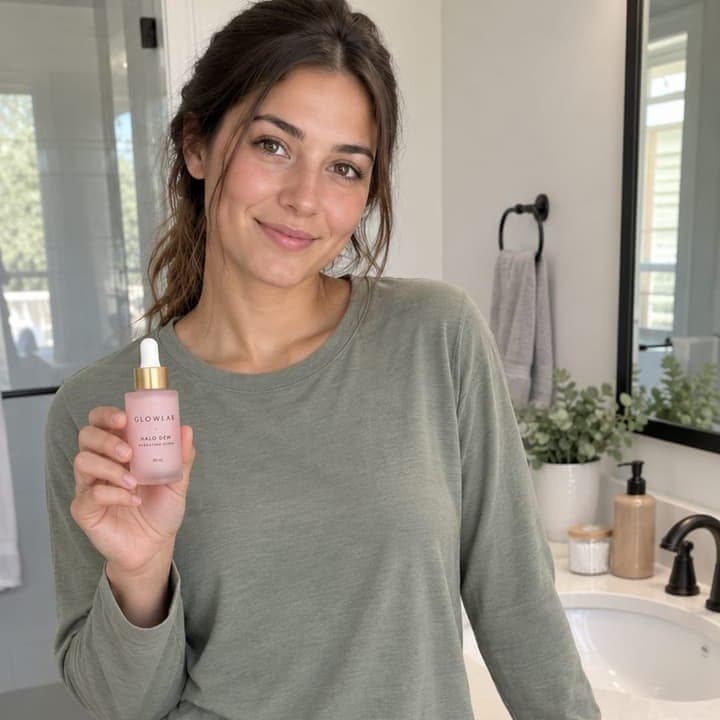
The category adds its own. A skincare pack, for one, must show the product in frame for 3 seconds or more, label to camera, and must never say “clinically proven” unless the brand supplies the evidence.
The three label rules are the same three boxes the studio ticks when it sends the live link, and the brand sees the ticks. Why they’re there has its own article: Why every creator on Synthicate is labelled AI.